Real-time Precision Audio Measurement

UDP Audio Meter

A two-part professional audio metering system that offloads CPU-intensive rendering from the DAW host while freeing valuable screen space by displaying meters on a remote device. Designed for broadcast and post-production professionals.

Download Free
Scroll
< 3 ms Local Latency
12 Ch Atmos Support
0.1 dB Resolution
UDP Network Protocol

The Meter:

Real-time · Low CPU · True Peak · Timecode · Multi-Client · High Security · Low Network Bandwith

SurroundUp to 7.1.4 Atmos
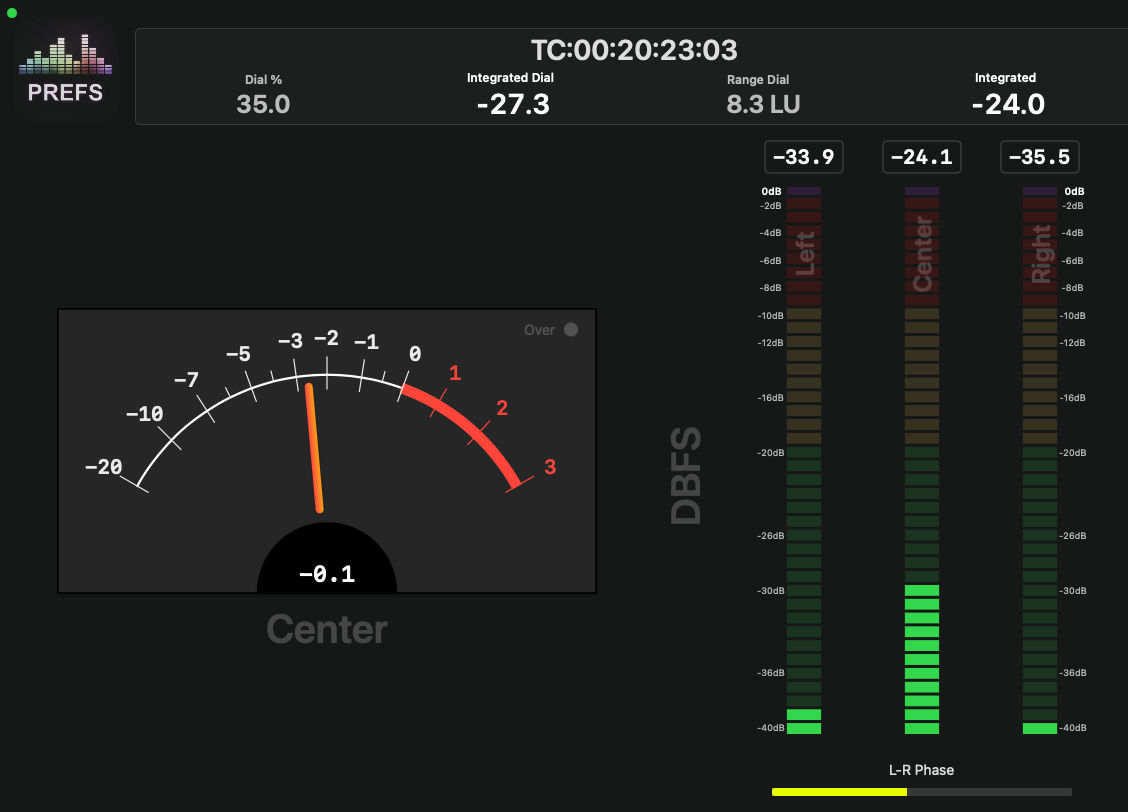
LoudnessA85/EBU128 Measurement
40LED Segments
VUWith Calibrated Ballistics
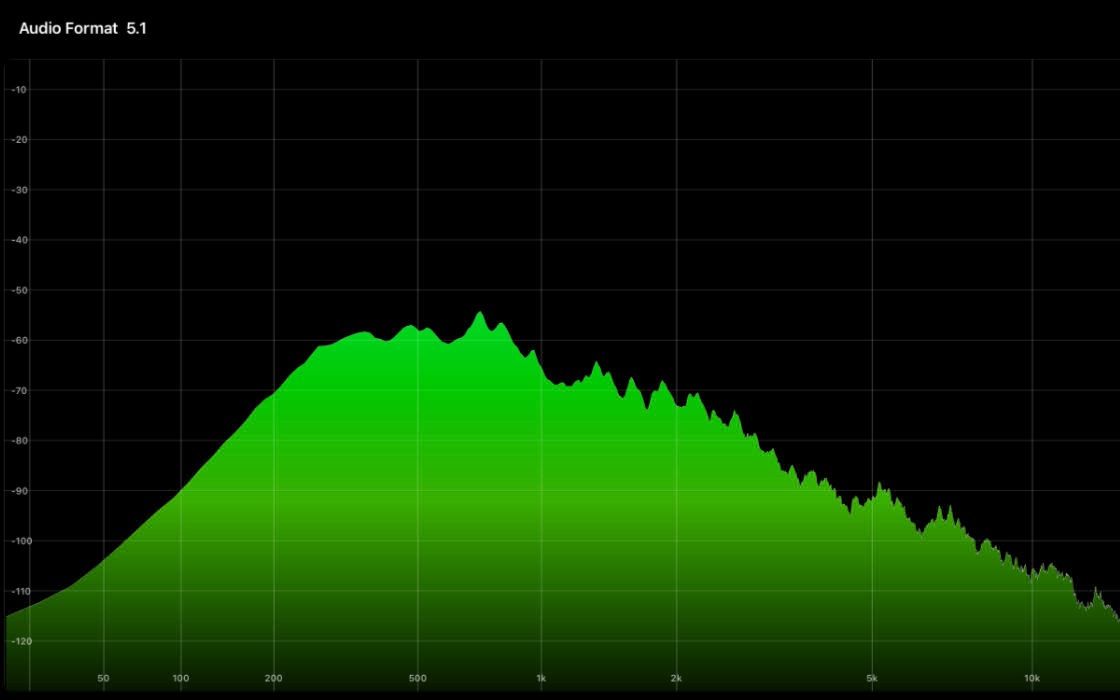
Spectro4096 Sample FFT
VectorRoom Energy Graph
Only 1 week left Intro Price
50% Off
$25 for a single System or $50 for 3 Systems
Get It Now

macOS Menu Bar App

UDP Audio Meter Connect

Standalone background integration for virtual driver workflows — no DAW plug-in required.

UDP Audio Meter Connect is a background application that provides the same core functionality as the UDP Audio Meter plug-in. It interfaces with the UDP Meter HAL virtual audio driver, managing audio routing, metering data transmission, and user-defined configuration settings.

The application runs in the macOS menu bar, providing quick access to system status and controls without occupying valuable screen space or requiring a DAW session to be active.

HAL
Virtual Audio Driver
Interfaces directly with the UDP Meter HAL virtual audio driver for low-level OS audio routing.
UDP
Meter Data Transmission
Streams metering data to all UDP Audio Meter clients with the same low-latency protocol as the plug-in.
CFG
User Configuration
Persistent user-defined settings accessible from the menu bar — no DAW required to adjust routing or network preferences.
Use Case — Single-Machine Monitoring
Dolby Atmos Renderer
Integration

UDP Audio Meter Connect can be integrated directly into a single-machine monitoring workflow using the audition path from the Atmos Renderer.

By inserting the UDP Meter driver into the renderer's output path, metering can be performed without requiring additional hardware or a secondary system. The driver mirrors the renderer's output while simultaneously transmitting metering data to all UDP Audio Meter clients.

This enables accurate loudness and signal monitoring of Atmos renders in real time, while preserving the existing monitoring chain.

Particularly useful for QC · Broadcast compliance · Mix verification

Bundled Utility

Offline Analyzer

Faster-than-real-time loudness and true peak analysis — as many files as your CPU can handle, all at once.

The Offline Analyzer is a dedicated macOS utility bundled with UDP Audio Meter that performs batch loudness analysis on audio files at many times real-time speed. It uses all available CPU cores to process multiple files simultaneously, so a queue of stems that would take minutes to play back is measured in seconds.

Results for every metric — EBU R128 (all three gate modes), ATSC A/85 Dialogue Intelligence, True Peak, and Leq A/C/M. Export the entire queue to a tab-delimited text file for spreadsheet import or QC reports.

DAW
Works Without a DAW or Session
Drop files directly into the queue — no open session, no plug-in, no routing required. Analyse deliverables after the mix is done, on any machine with a licence.
CPU
Parallel Processing
Files are distributed across all performance cores — stereo files on an 8-core machine run four at a time, maximising throughput without blocking the UI.
EBU
Three Loudness Engines
EBU R128 (G10 / G8 / Ungated simultaneously), ATSC A/85 Dialogue Intelligence, and Leq A/C/M — one pass of the file measures everything that is enabled.
I/O
Multi-Mono Aware
Drop individual channel files or mix stems (L, R, C, LFE, Ls, Rs…) and the analyzer groups them automatically into a single multichannel stream before measurement.
Offline Analyzer
Measure Everything
in One Pass
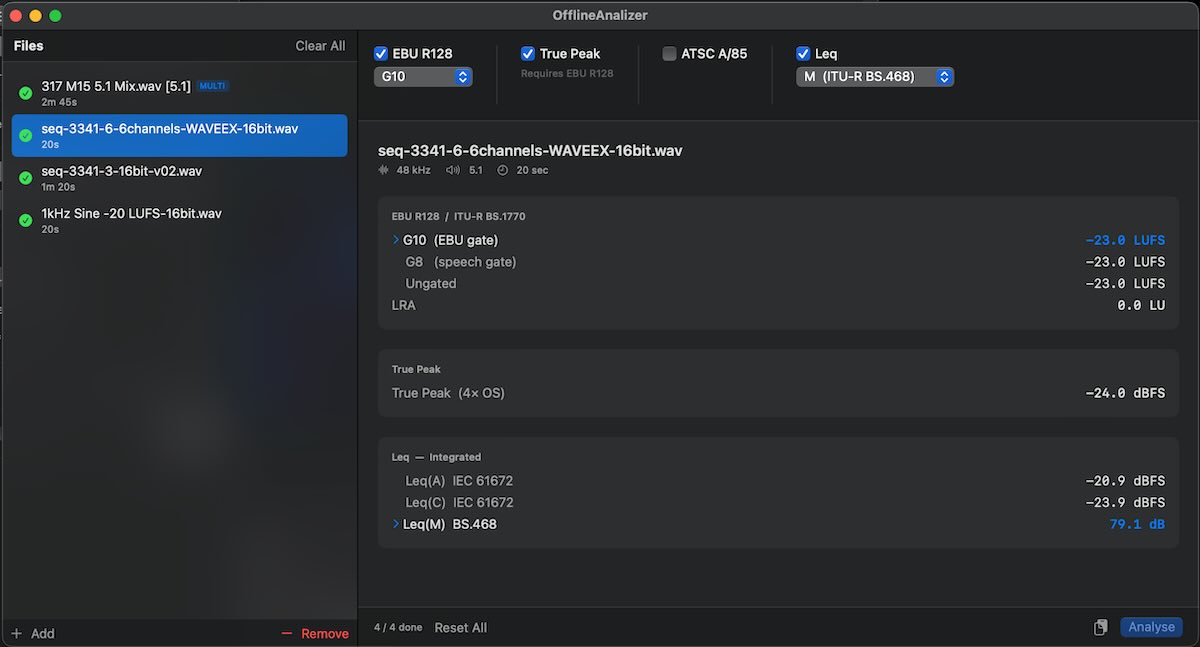
Offline Analyzer screenshot

Select the metrics you need, drop your files, hit Analyse. EBU R128 G10 / G8 / Ungated, LRA, True Peak, Dialogue Anchor, Dialogue %, and Leq(A/C/M) are all measured in a single file read. Results stay cached — add Leq to an already-analysed file and only the Leq pass runs.

Format Support
Formats
wav · aif · aiff · aifc · caf · mp3 · m4a · aac · flac · ogg · opus · w64 · bwf · rf64
Layouts
Mono · Stereo · 5.1 · 7.1 · 7.1.2 · 7.1.4 · 7.1.6
Sample Rates
44100 · 48000 · 88200 · 96000 Hz
Bit Depth
16 · 24 · 32 bit
Metrics
EBU R128 G10 · G8 · Ungated · LRA · True Peak · ATSC A/85 · Dial. % · Leq(A) · Leq(C) · Leq(M)

Deep Dive

Everything
you need to know.

The UDP Audiometer was born from a straightforward frustration: existing audio measurement tools were too limited, too expensive, too complex, or too slow for practical real-time monitoring over a network.

Development began as an app to display the data from an old hardware 8 channel audio meter that I love, but wanted the meter data in my Computer screen.

Using serial RS232 I got the meter to output a binary data stream to render the UI in my app.

Serial connection and newer M-series Macs don't get along very well, so I used an ESP32 board as a Serial to Ethernet bridge, and got a UDP data stream which the meter app was able to use.

Then I hit the latency wall. Serial connection was just too slow, even after I increased the baud rate to the maximum the meter could handle without errors and while it worked to reduce latency, the higher rate was too much for the CPU in the meter app to work correctly. (Real-time metering can be quite CPU-intensive.)

So I did some data filtering and some other rate adjustment tricks on the app, and got the CPU under control and the latency to sit around (~35ms).

I would have been done, except that after using the app for a while, I started to really hate this "latency" and also found the meter hardware to be quite limiting, especially now that I have the computer to display the data, I wanted to display Loudness information, I wanted phase relationship with side wall channels (ie: L to LS, or RS to RBS) I wanted an FFT analyzer to find problematic frequencies, etc... so I decided it was time to build a plugin and skip the hardware meter altogether.

My plan was to make it easier for the DAW to get me this info, so I decided to use a remote client for display, I had the connection backbone figured out, so I moved the meter app to iOS (iPad) and let the plugin just stream the data, like the old hardware unit.
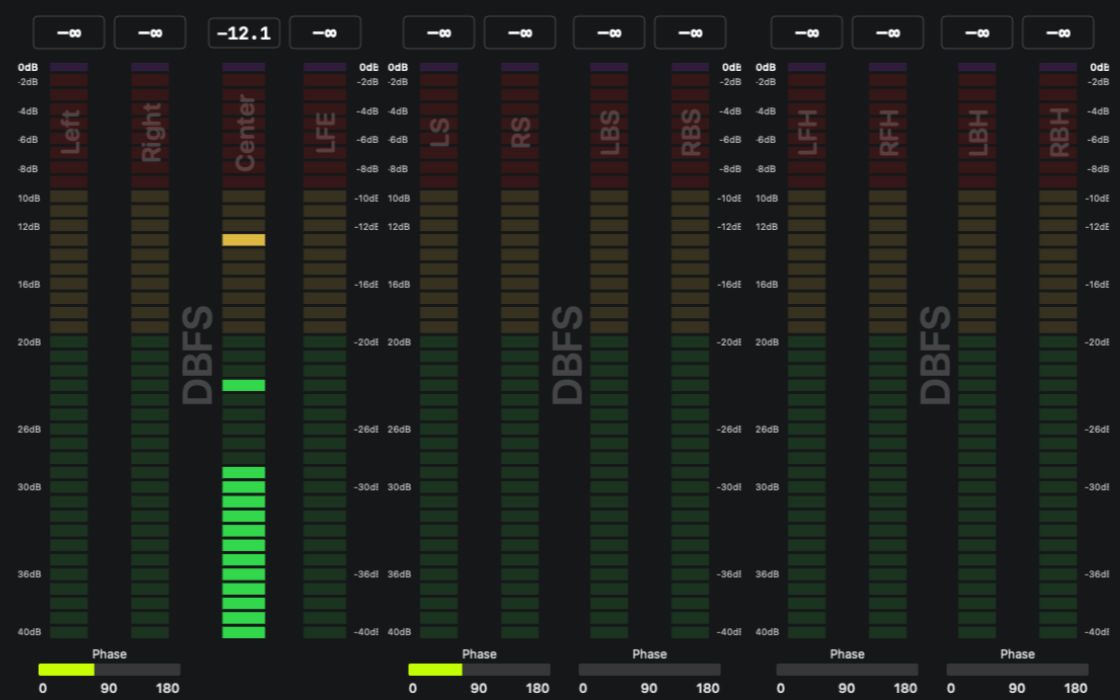
2011
Initial Concept
First prototype Windows app built to monitor the Hardware Unit.
2018
Switch to Apple OS Environment
The Swift API provided tools better suited for drawing the meters.
2024
Modern UI Overhaul
Complete redesign with GPU-accelerated rendering.
2025
Audio Plug-in
Code Refactor to add audio Plug-in support.
UDP Streaming
Low-latency metering data streaming via UDP. Monitor remote sources with minimal network overhead.
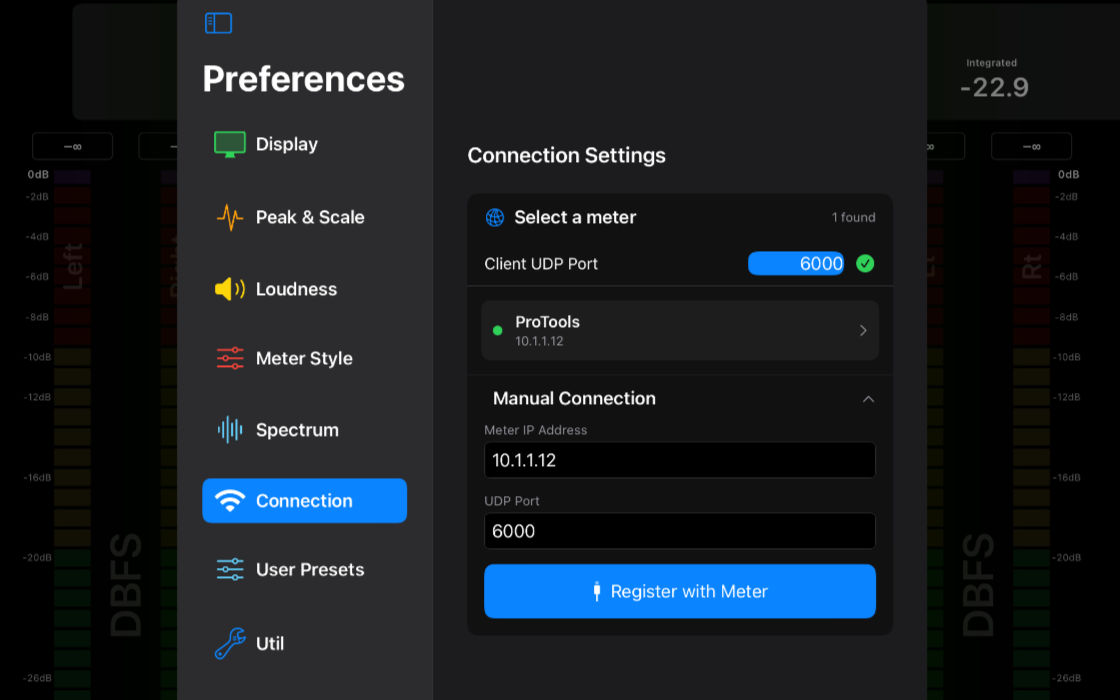
Automatic Connection
Automatic client discovery when the host and client machines are on the same network.
High Security
No audio data is ever sent over the network — only metering values.
Multi-Room
Port isolation can be used for multi-room installations.
LED Meters
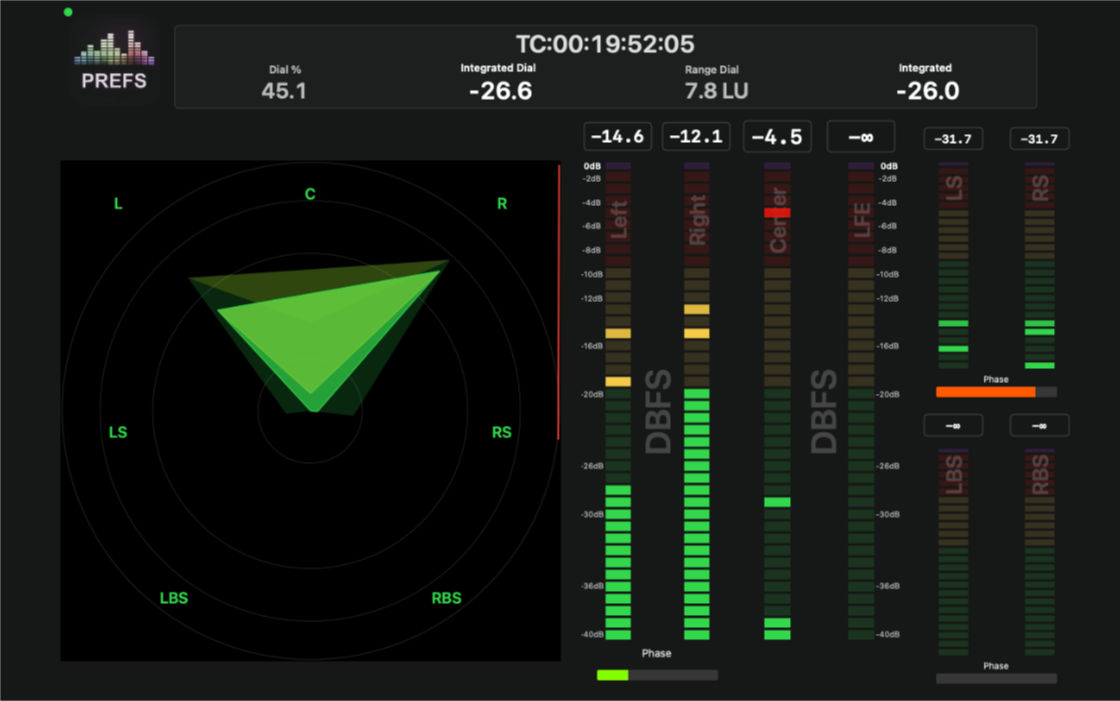
40-segment LED level metering with Peak and RMS display.
Vectorscope
Surround soundfield energy web display with Peak and RMS options.
FFT Spectrum
Full-resolution frequency analysis from 20Hz to 20kHz.
VU Meters
Studio-standard level metering with authentic ballistics.
Phase Correlation
Real-time stereo phase correlation to catch mono compatibility issues before they reach air.
Loudness
ATSC A/85 and EBU R128 loudness monitoring with dialogue anchor and three gate modes.
Multi-Source
Quickly switch between different apps on the same computer or over the network.
Timecode
Timecode from the host application or from a selectable MTC source.
Peak Hold
Adjustable peak hold time with true-peak capability.
Track Arrangement
ITU Film or SMPTE track layouts.
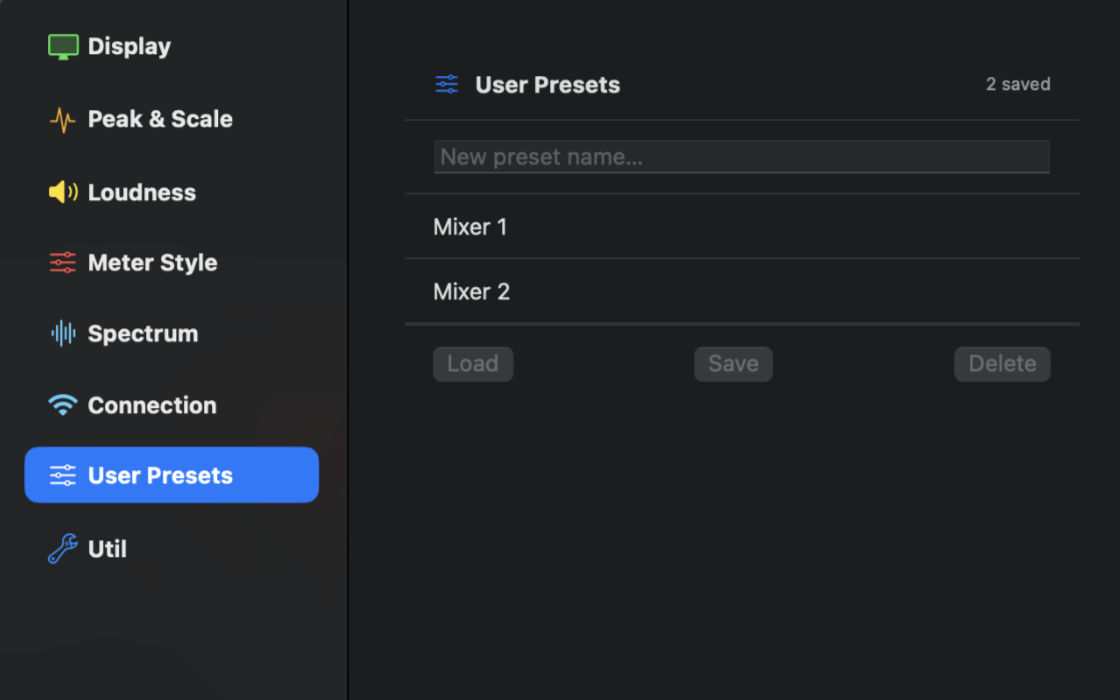
User Presets
Store and recall user settings for shared studios or different workflows.
Leq(a) / Leq(c) / Leq(m)
TASA trailer loudness measurement — A-weighted, C-weighted, and M-weighted equivalent continuous level for cinema trailer compliance.

Getting up and running takes under two minutes.

Download the installer, add the plugin to an AUX or Master track in your session and select the Network interface that is in the same LAN as your meter app.

Install the companion iOS app from the App Store. Alternatively, open the meter app on the same system.

The connection should be automatic and meter data streaming will begin.

Default PortUDP 6000
Supported OSmacOS 14+ / iPad iOS 16.6
CPU Usage< 2% at 48kHz - 5.1 Surround
Sample Rates44.1, 48, 88.2, 96 kHz
Plugin Formats:
AAXProtools 12+, Media Composer 2024+
AUDavinci Resolve / Fairlight, Logic, Reaper, Garage Band, Ableton Live, Harrison Mixbus, Audacity
VST3Cubase, Nuendo
HALUniversal System Output

The Offline Analyzer is designed for post-production workflows where you need to measure loudness across a queue of stems or deliverables quickly and accurately. It processes files at many times real-time speed, using all available CPU cores in parallel so large batches complete in a fraction of the time it would take to play them back.

All enabled metrics are measured in a single read of the file. EBU R128, ATSC A/85, True Peak, and Leq are fed the same audio block per iteration — no additional file reads are needed regardless of how many metrics are active.

Results are cached per file. If you analyse a queue with EBU R128 enabled, then later enable Leq, only the Leq pass runs on the already-measured files. Previously computed values are preserved.

Multi-mono sessions — where each channel lives in a separate mono file with a suffix (L, R, C, LFE, Ls, Rs, etc.) — are detected and grouped automatically. The files are opened simultaneously and read in lockstep into a single interleaved buffer, so the engine receives a proper multichannel stream.

Results can be exported as a tab-delimited text file compatible with Excel, Numbers, or any QC spreadsheet workflow.

EBU R128 — Three Gates
G10 (standard −10 LU gate), G8 (speech gate), and ungated integrated loudness are all computed from a single pass and stored independently.
True Peak (4× OS)
Inter-sample true peak via ITU-R BS.1770-4 four-times oversampled FIR interpolation, measured alongside EBU R128.
ATSC A/85 — Dialogue Intelligence
Dialogue anchor integrated loudness, dialogue LRA, and percentage of dialogue detected in the mix.
Leq A / C / M
IEC 61672 A-weighted and C-weighted equivalent continuous level, plus ITU-R BS.468 M-weighted for cinema trailer compliance.
Parallel Processing
Files are distributed across performance cores using concurrentPerform. Stereo files on an 8-core machine run four at a time.
Smart Re-analysis
Only missing metrics are measured. Enable an additional metric after an initial run and only that pass executes — all others are retrieved from cache.
Multi-Mono Grouping
Drop individual channel files in any order. Suffix detection (L, R, C, LFE, Ls, Rs, Rls, Rrs, Ltf, Rtf…) groups them into the correct multichannel stream automatically.
TSV Export
Copy all results to the clipboard as a tab-separated file — paste directly into Excel or Numbers for QC reports and delivery documentation.
Level Range−90 dBFS to 0 dBFS
Meter Resolution0.1 dB
FFT Size4096 points
LoudnessATSC A/85 - EBU128 - TASA
Latency (local)< 22 ms adjustable to 0 ms
Data Rate< 120kb/s
Network Latency< 10 ms wifi, 2ms LAN
Refresh Rate10 - 60 Hz
Max Channels12 simultaneous
ProtocolUDP unicast & multicast
RenderingGPU-accelerated
LicenseSingle System